 Eddy
Your playlists on Flipper Zero.
Eddy on your iPhone connects to Spotify. Use the buttons on your Flipper to queue a track or start a favorite playlist.
Set up Eddy for iPhone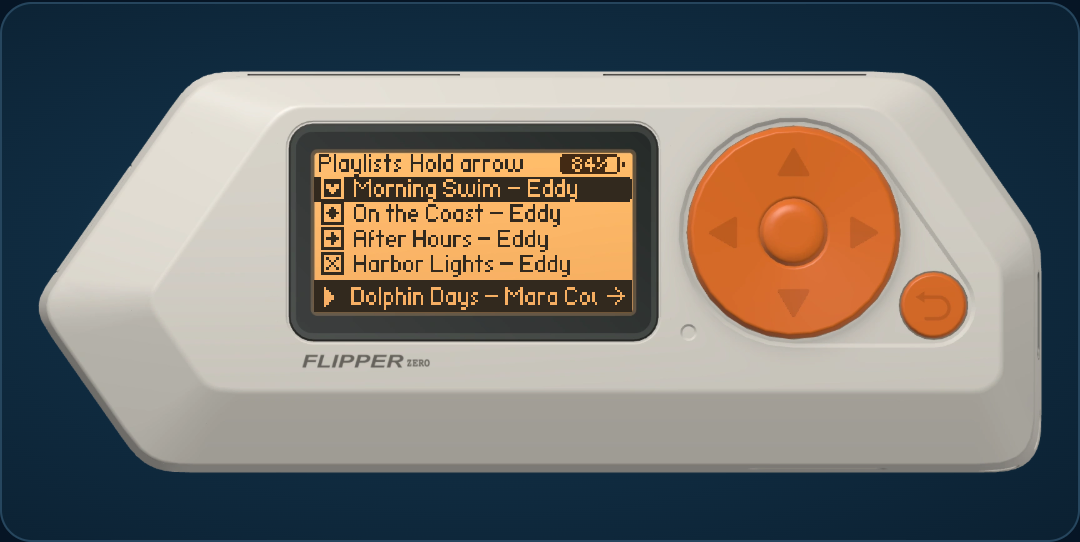 Try the Spotify demo!
Eddy for iPhone
Already installed? Open Eddy. The Demo tab lets you try sample playlists offline before you connect your Flipper.
Join the Eddy beta on TestFlight
Open the invitation on your iPhone and tap Accept, then Install.
Requires iOS 17 or later. Android isn’t supported yet.
Connect your library
- On your Flipper
- Open Apps → Spotify and leave it open. Scan the QR code with your iPhone to open Eddy or find its installation instructions.
- In Eddy on your iPhone
- Tap Connect device and choose your Flipper. Enter your Client ID, tap Log in to Spotify, and approve access.
- Back on your Flipper
- Open Playlists, choose a playlist and press OK on Browse tracks. Press Right from your library for Now Playing.
Source code Flipper app iPhone app